


Your website might look amazing, load quickly, and have great content. But if some visitors can’t use it because of poor accessibility, you’re losing customers before they even get a chance to explore what you offer.
Website accessibility is no longer something businesses can ignore. More people than ever rely on screen readers, keyboards, captions, and other assistive tools to browse the internet.
If your website isn’t built with those users in mind, you’re creating barriers that push people away. On top of that, accessibility also plays a role in legal compliance, search engine optimization, and overall user experience.
The good news is that improving accessibility doesn’t always require a complete redesign. Small, thoughtful changes can make a huge difference.
This website accessibility checklist will walk you through ten essential areas to review on your website. Whether you’re building a new website or improving an existing one, these practical checks will help you create a site that’s easier for everyone to use.
What Is Website Accessibility?

Website accessibility means designing and building websites so that everyone can use them, including people with disabilities. This includes visitors who have difficulty seeing, hearing, using a mouse, or understanding certain types of content.
For example, someone who is blind may use a screen reader that reads website content aloud. A person with limited hand movement may navigate only with a keyboard instead of a mouse. Someone who is deaf may depend on captions to understand videos.
Accessibility guidelines, such as the Web Content Accessibility Guidelines (WCAG), provide best practices for making websites more usable for everyone.
While the technical details can seem overwhelming, the goal is simple. Every visitor should be able to access your content without unnecessary obstacles.
Why Website Accessibility Compliance Matters
Many businesses think accessibility only matters for large organizations or government websites. That couldn’t be further from the truth.
An accessible website creates a better experience for every visitor, not just people with disabilities. Clear navigation, readable text, properly labeled forms, and organized content help everyone find information faster.
Accessibility also supports SEO. Search engines understand well-structured websites more easily, which can improve your visibility in search results. Better usability often leads to longer visits, lower bounce rates, and higher conversions.
There’s another important reason to care. Many countries have accessibility laws that require businesses to provide equal access online. Ignoring these standards could expose your business to complaints or legal action.
Most importantly, accessibility shows that your business values every customer. That’s a reputation worth building.
Ultimate Website Accessibility Checklist for Better Compliance

1. Add Descriptive Alt Text to Every Important Image
Images add personality to your website, but they don’t help visitors who can’t see them unless you provide alternative text.
Alt text is a short description that tells screen readers what an image shows. Instead of writing something vague like “image,” describe what actually matters. For example, “woman using a laptop in a modern office” is much more useful.
Not every decorative image needs alt text, but any image that adds meaning should include a clear description.
This is one of the easiest improvements you can make using a website accessibility checklist, yet many websites still overlook it.
2. Make Sure Your Website Can Be Used with a Keyboard
Not everyone browses with a mouse. Many people use only a keyboard to move through a website.
Visitors should be able to reach menus, buttons, forms, and links by pressing the Tab key. They should also be able to see which item is currently selected through a visible focus indicator.
Try navigating your own website without touching the mouse. If you get stuck anywhere, your visitors probably will too.
3. Use Proper Heading Structure
Think of headings like chapters in a book. They organize your content and help readers understand what comes next.
Your page should have one clear H1 heading followed by logical H2 and H3 headings. Avoid skipping heading levels because screen readers rely on this structure to help users navigate efficiently.
A well-organized page also makes your content easier to scan, which benefits every visitor.
4. Check Color Contrast Across Your Website

Text should always stand out from its background. If the colors are too similar, many users will struggle to read your content.
Light gray text on a white background might look modern, but it often creates readability problems. Strong contrast makes reading easier for people with low vision and those browsing on bright screens.
Also, never use color as the only way to communicate information. If an error message appears only in red without any text explanation, some users may not notice it.
A good website accessibility checklist always includes checking color contrast because readability affects every page.
5. Label Every Form Field Clearly
Forms are often where visitors contact you, request quotes, or complete purchases. If your forms aren’t accessible, you’re creating unnecessary frustration.
Every field should have a visible label that clearly explains what information belongs there. Error messages should tell users exactly what needs to be fixed instead of displaying confusing warnings.
Good form design includes:
- Clear labels for every field
- Helpful error messages
- Easy-to-understand instructions
- Visible indicators for required fields
Small improvements like these can greatly increase successful form submissions.
6. Add Captions and Transcripts to Multimedia
Videos and podcasts are excellent ways to share information, but not everyone can hear the audio.
Captions allow people who are deaf or hard of hearing to follow along. Transcripts also help visitors who prefer reading instead of watching.
Even people without disabilities often watch videos on mute in public places. Captions make your content useful in more situations than you might expect.
Including multimedia accessibility in your website accessibility checklist helps you reach a wider audience without much extra effort.
7. Make Link Text Clear and Meaningful
Generic links like “Click Here” or “Read More” don’t tell users where they’re going.
Instead, use descriptive text that explains the destination. For example, “Download our website accessibility guide” is much clearer than “Download here.”
Screen reader users often browse a page by listening only to links. Clear link text allows them to understand each option without guessing.
It also improves SEO by giving search engines better context about your content.
8. Ensure Your Website Works Well on Mobile Devices
A huge percentage of website visitors now browse on phones and tablets. If your site only works well on desktop, you’re losing opportunities.
Buttons should be large enough to tap comfortably. Text should remain readable without forcing users to zoom constantly. Pages should automatically adjust to different screen sizes without breaking layouts.
Mobile accessibility isn’t just about convenience. It helps everyone enjoy a smoother browsing experience, regardless of the device they’re using.
9. Test Your Website with Screen Readers and Accessibility Tools
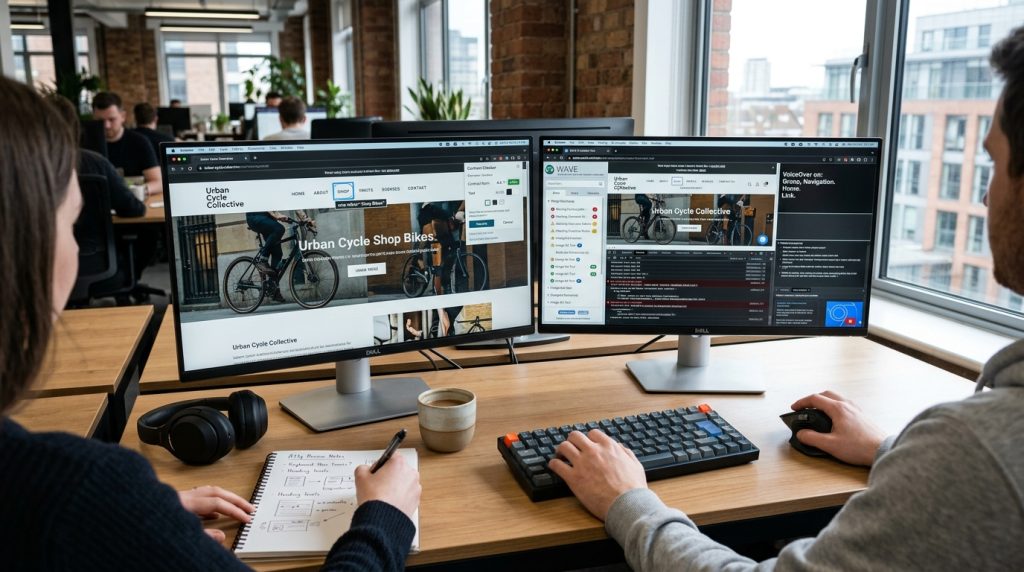
Automated accessibility tools can quickly identify missing alt text, poor color contrast, and other common problems. However, they don’t catch everything.
Manual testing is just as important.
Use a keyboard to navigate your website. Try listening to your content with a screen reader. Ask real users for feedback whenever possible.
The more testing methods you use, the easier it becomes to spot hidden usability issues before your visitors do.
This step should never be skipped when following a website accessibility checklist because real-world testing often reveals problems software misses.
10. Regularly Review Your Website Against WCAG Guidelines
Accessibility isn’t something you check once and forget about.
Every time you publish new content, redesign pages, or add new features, you should review your website again. A perfectly accessible homepage won’t matter if your new contact form creates barriers.
Make accessibility part of your regular website maintenance instead of treating it like a one-time project.
Businesses that consistently review their website accessibility checklist are far more likely to stay compliant while delivering a better experience for every visitor.
Common Website Accessibility Mistakes to Avoid
Even well-designed websites often repeat the same accessibility mistakes.
Some of the most common problems include missing alt text, poor heading structure, weak color contrast, unlabeled form fields, unclear links, inaccessible PDF documents, and videos without captions.
Another common issue is creating menus that only work with a mouse, leaving keyboard users unable to navigate.
Many of these problems aren’t difficult to fix. They simply go unnoticed because accessibility isn’t considered during the design process.
The easiest solution is to review every update before publishing. Using a reliable website accessibility checklist helps you catch these mistakes early instead of fixing them after users complain.
How Often Should You Perform an Accessibility Audit?
Accessibility should be reviewed regularly, not only when something goes wrong.
A full audit is a smart idea after launching a new website, redesigning important pages, or adding major features. Even smaller content updates deserve a quick review to make sure accessibility standards remain consistent.
Many businesses perform formal accessibility audits every few months, while others include accessibility checks as part of every content update.
The best approach is to make accessibility part of your normal workflow. When it becomes a habit, maintaining compliance becomes much easier.
Keeping a website accessibility checklist nearby during website updates can save time, reduce errors, and prevent bigger issues later.
Conclusion
Accessibility isn’t about checking boxes. It’s about making sure every visitor has a fair chance to use your website without frustration.
The improvements covered in this guide may seem small on their own, but together they create a website that is easier to navigate, easier to understand, and more welcoming to everyone.
Better accessibility also supports stronger SEO, improves user satisfaction, and helps protect your business from unnecessary compliance risks.
The best part is that you don’t have to fix everything overnight. Start with one page, then another, and continue improving over time. Consistent progress always beats doing nothing.
Use this website accessibility checklist as a regular part of your website maintenance, not just a one-time review. The more accessible your website becomes, the more people you’ll be able to reach, serve, and convert into loyal customers.
Frequently Asked Questions
A website accessibility checklist is a list of important steps used to evaluate whether a website is easy for everyone to use, including people with disabilities. It covers areas like keyboard navigation, image alt text, color contrast, heading structure, forms, videos, and links to help ensure the site meets accessibility standards such as WCAG.
A website accessibility checklist helps you identify and fix issues that could prevent your website from meeting accessibility standards. Following a checklist reduces the risk of non-compliance, improves the user experience, and helps create a website that is accessible to a wider audience.
A complete website accessibility checklist should include image alt text, keyboard accessibility, proper heading structure, sufficient color contrast, accessible forms, captions for videos, descriptive link text, mobile responsiveness, screen reader compatibility, and regular WCAG compliance reviews.
A website accessibility audit should focus on whether users can navigate the site with a keyboard, understand content with screen readers, read text with adequate color contrast, complete forms without difficulty, access multimedia through captions or transcripts, and browse the website easily on different devices.
The best way to determine if your website is WCAG compliant is to perform both automated and manual accessibility testing. Automated tools can identify many technical issues, while manual testing with keyboards, screen readers, and real users helps uncover problems that software may miss.
Some of the most common accessibility issues include missing alt text, poor color contrast, incorrect heading structure, unlabeled form fields, unclear link text, inaccessible PDFs, videos without captions, and websites that cannot be fully navigated using only a keyboard.
You should review your website’s accessibility regularly, especially after publishing new content, redesigning pages, or adding new features. Many businesses perform a complete accessibility audit every few months while also checking accessibility during routine website updates.
No. Automated accessibility tools are useful for finding common technical problems, but they cannot detect every issue. Manual testing is still necessary to evaluate keyboard navigation, screen reader usability, content clarity, and the overall user experience.
Yes. Many accessibility best practices also support SEO by improving website structure, navigation, image descriptions, and content organization. At the same time, an accessible website provides a smoother experience for all visitors, leading to better engagement and higher user satisfaction.
In many countries, yes. Various laws and regulations require businesses and organizations to provide accessible digital experiences for people with disabilities. While legal requirements vary by location, following WCAG guidelines is widely recognized as the best way to help meet accessibility expectations and reduce compliance risks.
Need Help Creating an Accessible Website?
A strong online presence starts with a website that everyone can use. Our team helps businesses improve website usability, accessibility, and user experience with modern design solutions.
Using best practices from our website accessibility checklist, we create websites with better navigation, clear layouts, and accessibility-focused improvements that help you reach more visitors.
Book your free project consultation call