


Nobody wakes up excited about business listings. We get it. Your Google Business Profile probably feels about as thrilling as filing paperwork at the DMV.
But here’s the twist… That “boring” little profile decides whether your business shows up when someone nearby types “best plumber near me” or scrolls right past you to your competitor down the street.
Treat it like a dusty filing cabinet and Google treat you the same way.
Treat it like a living, breathing part of your marketing and you start climbing the map pack. This guide breaks down every piece that matters, no filler, no jargon soup, just what works right now.
Google Business Profile Verification and Eligibility Requirements
You can’t rank a profile Google doesn’t trust, and verification is the first test of trust. Google needs proof your business exists at the location and in the category you claim.
Most businesses verify through a postcard mailed to the physical address, a phone call, email, or video verification for certain service types. Skip this step or fake an address and your listing gets suspended fast, sometimes permanently.
Eligibility rules matter just as much. Your business needs face to face contact with customers, whether that’s a storefront, an office, or a service area you physically serve.
Virtual offices, PO boxes, and shared coworking addresses used only for mail get rejected. If you run a service area business with no public storefront, hide your exact address in your profile settings and list the areas you cover instead.
Keep your business name exactly as it appears on your signage and legal paperwork.
Stuffing keywords into your name field, like “Joe’s Plumbing Best Plumber Chicago,” breaks Google’s guidelines and can get your profile suspended. Verified, accurate, and honest gets you in the door. Everything else builds from there.
Category Selection and Primary Services for Stronger Relevance
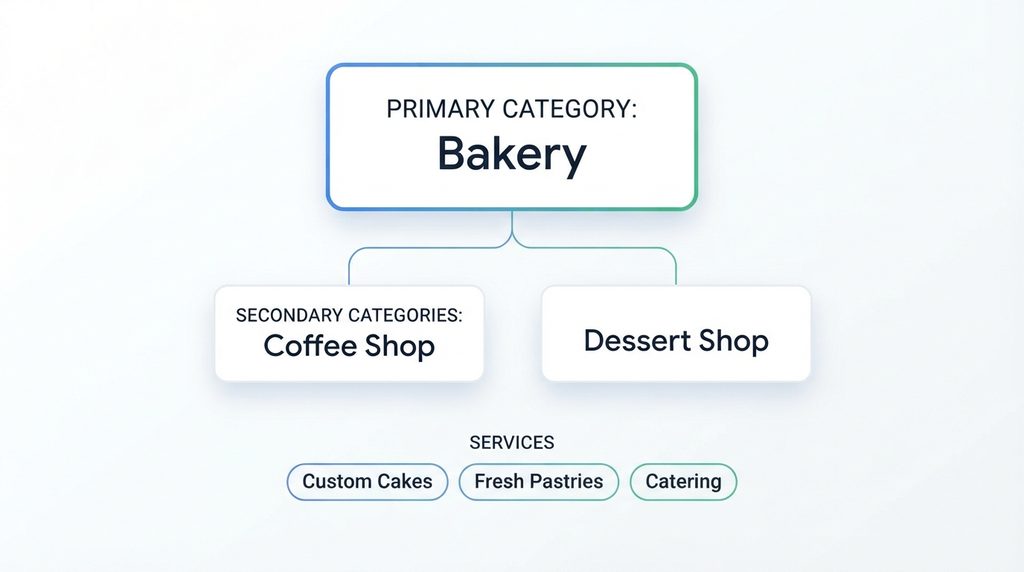
Your category choice tells Google exactly who should see your business, and picking the wrong one quietly kills your visibility before you even start posting. Choose your primary category first.
This should describe what your business is at its core, not every single thing you offer. A bakery that also sells coffee picks “Bakery” as primary, not “Coffee Shop,” if baked goods drive most of your revenue.
Secondary categories let you capture extra searches without diluting your main identity. A dentist might add “Cosmetic Dentist” or “Emergency Dental Service” as secondary categories if those services bring in real business.
Don’t pile on ten categories hoping to catch every possible search. Google’s algorithm reads that as noise, not relevance, and it can actually hurt your ranking for the searches that matter most.
Update your services list to match your categories closely. List the services you actually perform, with clear names customers would search for, like “drain cleaning” instead of vague terms like “plumbing solutions.”
Review your category selection every few months since Google adds and removes options regularly, and a newer, more specific category might fit your business better than what you picked at signup.
Business Description Optimization Using Search Intent and Keywords
Your business description is prime real estate, and most owners waste it on generic mission statement language nobody searches for. Write for the person typing a question into Google, not for a marketing award.
Think about what your customers actually want to know. Do you offer same day service? Do you specialize in a niche most competitors ignore? Lead with that.
Weave in the terms real customers use, like your city name, your core service, and specific problems you solve.
A roofer might write about storm damage repair, insurance claim help, and same week installation instead of calling themselves “a leading provider of quality roofing solutions.” Nobody searches that phrase, and it tells Google nothing useful about your relevance.
Keep sentences short and direct. You get 750 characters, and only the first 250 or so show without a click, so front load your strongest, most specific value there.
Avoid stuffing the same keyword five times in one paragraph. Google’s systems catch that pattern, and it reads badly to real customers too. Write like a person explaining their business to a neighbor, then sharpen it with the exact words your customers type.
Improve Local Ranking with Accurate NAP and Service Area Data
NAP stands for name, address, and phone number, and inconsistency here quietly wrecks more local rankings than almost anything else. Google cross checks your NAP against every citation it finds across the web, including directories, your website footer, social profiles, and press mentions.
If your phone number on Yelp doesn’t match the one on your website, Google reads that as a red flag about your business’s legitimacy.
Run an audit right now. Pull up your top ten citations and compare them line by line against your Google Business Profile.
Fix mismatches immediately, especially old addresses from a business move or a phone number you dropped years ago. Suite numbers, abbreviations like “St” versus “Street,” and even punctuation should match everywhere.
Service area businesses need extra care here. List every city or region you genuinely serve, not a wish list of places you’d like to expand into someday.
Google checks whether your service claims match real customer activity, and overreaching your service area can flag your profile for review. Keep it honest, keep it consistent, and update it the moment anything changes.
Photos and Videos Coverage: What to Add and How Often
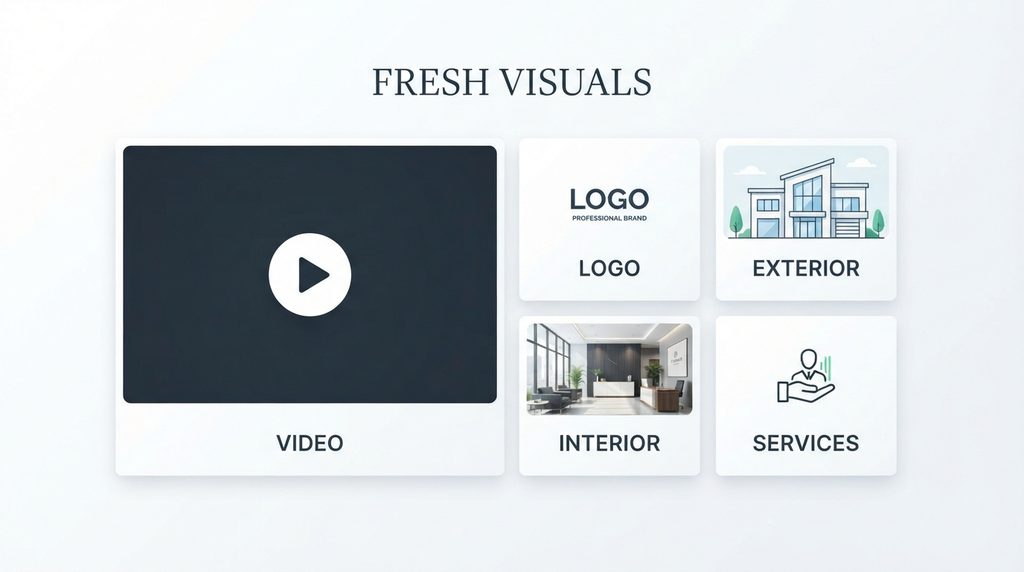
Photos aren’t decoration, they’re a ranking signal and a trust signal rolled into one. Profiles with fresh, high quality images consistently pull more direction requests and website clicks than profiles running on stock photos or year old snapshots. Google notices which profiles get visual updates and which ones sit stagnant.
Start with the basics done right. Add a clear logo, an exterior shot so customers recognize your storefront, interior photos that show your actual space, and team photos that put a real face on your business.
Service based businesses should show work in progress, finished jobs, and equipment in action rather than generic clip art.
Video adds another layer most competitors skip. A short walkthrough, a quick team introduction, or a before and after clip performs well and keeps visitors on your profile longer. Add new photos on a regular schedule, ideally weekly, rather than dumping fifty images once and disappearing for a year.
Consistency signals an active, real business, and that steady rhythm matters more than any single stunning photo ever could.
Review Strategy for Rating Volume, Quality, and Response Practices
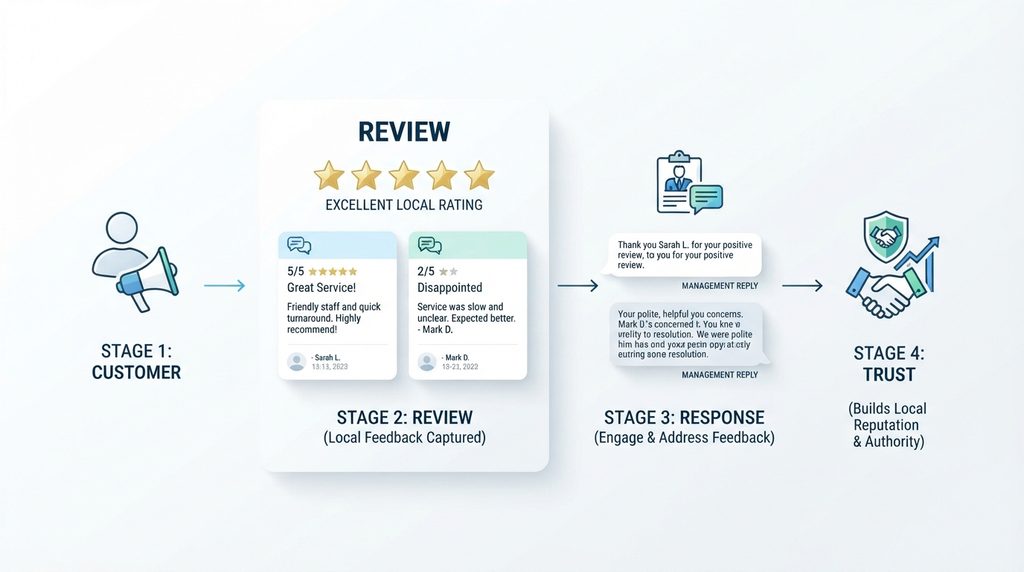
Reviews carry serious weight in local rankings, and most business owners treat them like an afterthought instead of an active strategy. Volume matters, but so does velocity, meaning how steadily new reviews come in over time.
A business earning a handful of fresh reviews every week signals ongoing customer activity far better than a business that got forty reviews two years ago and nothing since.
Ask for reviews at the right moment, right after a positive interaction, a completed job, or a happy checkout. Make it easy with a direct link customers can tap from their phone. Never buy reviews or trade them for discounts.
Google’s detection systems flag suspicious patterns, and getting caught can tank your entire profile.
Respond to every review, good or bad, within a day or two if you can. A thoughtful response to a negative review, addressing the issue calmly and offering a fix, often does more for your reputation than the review itself.
Customers researching your business read those replies closely, and so does Google, since responses count as a sign of an engaged, trustworthy operation worth ranking higher.
Posts, Q&A, and Updates How to Stay Active on GBP
Google Posts work like tiny announcements that show up directly on your profile, and they tell Google your business is alive and paying attention.
Share promotions, new products, events, or company news. Keep each post short, add a clear photo, and end with a direct call to action like “Call now” or “Book today.”
Posting twice a week keeps your profile looking active without turning it into a chore, though even a steady monthly rhythm beats a burst of activity followed by months of silence.
Consistency over time builds more trust with Google’s ranking systems than a single flood of content ever will.
Don’t ignore the Questions and Answers section either. Customers post questions directly on your listing, and if you don’t answer them, a stranger might, sometimes with wrong information.
Check this section regularly and answer promptly. You can even seed it yourself by adding the questions customers ask most often, along with clear answers.
Keeping your hours updated for holidays and special events also supports this activity signal, since Google increasingly uses accurate hours to decide whether to surface your business for time-sensitive searches like “open now.”
Product and Service Listings Integration for In-Store and Online Discovery
Your products and services section does more heavy lifting than most business owners realize, especially now that generative search tools pull directly from this structured data to answer customer questions.
List each product or service with a clear name, a short description written in plain language, and a price or price range whenever possible.
Retail businesses should sync their product catalog so items show up with photos and availability directly in search results, letting a customer see what’s in stock before they ever visit.
Service businesses benefit from listing individual offerings separately rather than lumping everything under one vague heading, since specific listings match specific searches far more often.
This structured data also feeds AI powered search results and voice assistants, which increasingly pull short, factual answers straight from business profiles instead of sending users to a website first.
A profile with clear, well organized service listings has a real shot at being the source an AI answer quotes. Keep this section current every time your offerings change, since stale listings mislead customers and quietly signal neglect to Google’s ranking systems.
Tracking Performance with Insights Metrics and Ongoing Profile Maintenance
None of this work means anything if you never check whether it’s actually moving the needle. Google Business Profile’s built in Insights panel shows how customers find you, whether through direct searches for your business name or discovery searches for your category, plus how many people call, request directions, or visit your website from your listing.
Watch these numbers monthly at minimum. A sudden drop in views or calls often points to a technical issue, like hours entered incorrectly for a holiday, or a citation mismatch confusing Google about your legitimacy. Catching problems early keeps small issues from turning into ranking losses that take months to recover from.
Treat your profile as ongoing maintenance, not a one time setup task. Set a recurring schedule to check your NAP consistency, refresh your photos, respond to new reviews, and post fresh updates.
Local search gets more competitive every year, and businesses that show up consistently, month after month, pull ahead of the ones that set up their profile once and forget about it. Small, steady effort beats a single big push every single time.
Ready to Own Your Local Search Results?
Let American Design Agency build and manage your Google Business Profile, turning neglect into leads without stealing your time.
Book a Free ConsultationClosing summary
Your Google Business Profile grows your business every single day it stays active. Keep it fresh, answer your customers, and watch local search finally work for you. American Design Agency builds profiles that actually win.
Frequently Asked Questions
Google Business Profile optimization is the process of improving your local listing so it ranks higher on Google Maps and in local search results.
You refine business details, add high-quality photos, and gather positive reviews to drive local traffic and leads.
Start Google Business Profile optimization by completing every section. Choose your primary category carefully, upload fresh photos, and keep your contact details accurate.
Frequently publish updates and reply to every customer review to build trust.
Focus on local relevance, distance, and prominence.
Successful Google Business Profile optimization requires getting steady 5-star reviews, using targeted local keywords naturally, keeping business details identical across online directories, and encouraging engagement through regular updates, questions, and customer photos.
Pick the primary category that describes what your business is, not just what it sells.
Smart Google Business Profile optimization relies on selecting one specific core category, then adding relevant secondary categories to capture additional services without confusing search algorithms.
Google reviews heavily influence local rankings because they signal trust and authority.
Essential to Google Business Profile optimization, a steady stream of high-rating reviews with detailed feedback tells Google your business is active, reliable, and preferred by local consumers.
Update your listing at least once a week.
Continuous Google Business Profile optimization involves sharing fresh posts, uploading new photos, updating holiday hours, and responding to new reviews promptly to show both search engines and customers that you operate actively.
Photos directly increase user engagement, click-through rates, and direction requests. As a core element of Google Business Profile optimization, publishing authentic, high-resolution interior and exterior photos helps Google verify your physical presence while encouraging potential customers to visit your shop.
Yes, regular posts send strong activity signals to search ranking algorithms.
Integrating posts into your Google Business Profile optimization strategy keeps your listing active, promotes special offers, and incorporates relevant local keywords that drive user interactions and higher map placement.
Add keywords naturally into your business description, services menu, regular posts, products, and review replies.
Avoid keyword stuffing in your registered business name; long-term Google Business Profile optimization focuses on authentic, contextual phrasing that helps locals find the right solutions.
Common mistakes include keyword stuffing in your business name, selecting inaccurate categories, ignoring customer reviews, leaving profile fields blank, and listing inconsistent contact info.
Avoiding these errors keeps your Google Business Profile optimization efforts compliant, safe, and highly visible locally.
