


Getting people to visit your website is only half the job. The bigger challenge is getting those visitors to take action.
They might buy a product, fill out a form, book an appointment, call your business, or sign up for your service. If they leave without doing anything, that traffic has not reached its full value.
This is where conversion rate optimization, or CRO, becomes important. CRO helps you understand what visitors do on your website and find ways to make their experience better.
The right conversion rate optimization tools can show you where people leave, what they click, and which parts of your website may be stopping them from converting.
In this blog post, we will look at 15 useful tools for different CRO needs. Some focus on analytics, while others help with testing, customer feedback, landing pages, or visitor behavior.
The goal is not to use every tool. It is to find the one that solves the problem your website actually has.
What Is Conversion Rate Optimization?

Conversion rate optimization is the process of enhancing a website so that more visitors complete a desired action. That action depends on the business. An online store may want more purchases, while a service company may want more calls or contact form submissions.
For example, let’s suppose 1,000 people visit a product page, but only 20 buy the product. You could simply try to get more visitors, but there may be a better solution.
CRO can help you discover why 980 people left without buying. Maybe the checkout is confusing, the page loads slowly, or customers cannot find important information.
In this situation, CRO tools are very useful because they provide information that can help turn guesses into informed decisions. Instead of just changing a button because you think it looks better, you can study user behavior, test different versions, and see what actually works well in your scenario.
What Should You Look for in a CRO Tool?
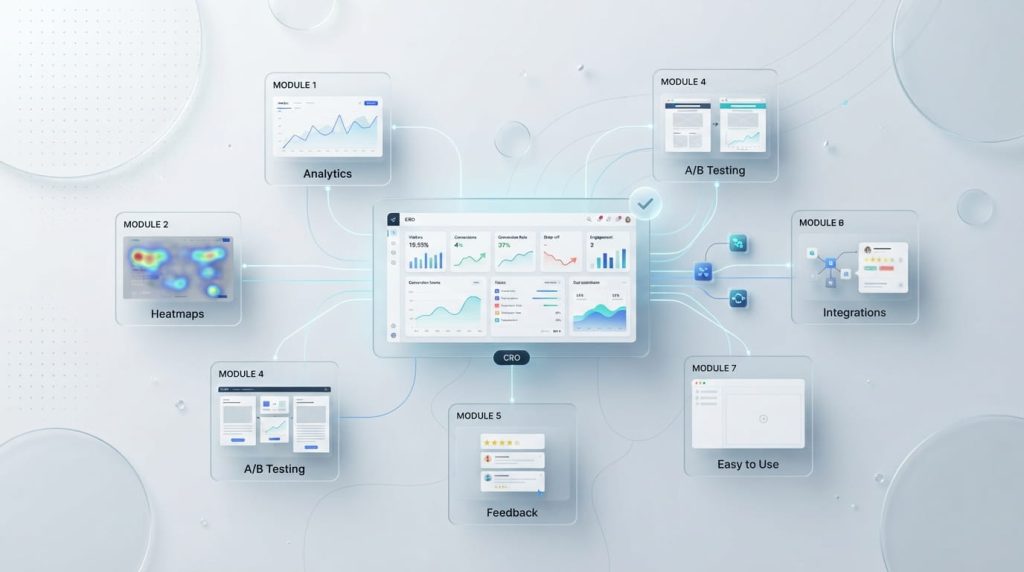
The best tool depends on what you are trying to improve. A business that needs to understand visitor behavior may need heatmaps and session recordings. Another business may need A/B testing to compare two versions of a page.
Look for a tool that is easy for your team to operate and gives you useful information instead of overwhelming you with numbers. Integrations are also important if you already use platforms for analytics, email marketing, advertising, or customer management. Finally, consider your budget and choose something that can grow with your website.
List of 15 Best Conversion Rate Optimization Tools
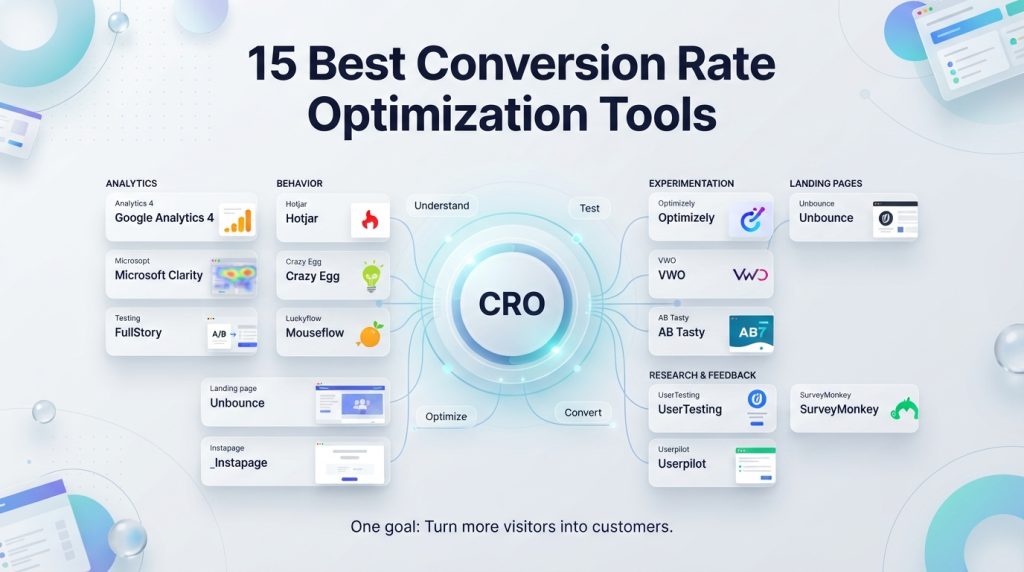
1. Google Analytics 4
Google Analytics 4 is a strong starting point for understanding how the visitors actually interact with your website. It can show where traffic comes from, which pages people visit, how long they stay, and where they leave.
Its event-based tracking also lets you measure actions such as purchases, form submissions, and button clicks. It is especially useful when you want to see the bigger picture and in-depth insights of your websites performance. While it may take some time to learn, it offers valuable data without requiring a large budget.
2. Hotjar
Hotjar helps you see your website from the visitor’s point of view. Its heatmaps show where people click, move, and scroll, while session recordings let you watch real visits overall activity of the user.
For example, you may discover that visitors keep clicking an image because they think it is a button. That small detail could explain why an important page is not performing well. Hotjar also offers tools for collecting feedback, making it useful when you want both behavior data and customer opinions.
3. Microsoft Clarity
Microsoft Clarity is a useful option for businesses looking for free visitor behavior insights reports. It provides session recordings and heatmaps which can help you understand how people use your website.
Clarity’s one useful feature is its ability to highlight unusual behavior, such as repeated clicks or excessive scrolling by users. These signals can point toward confusing elements or technical problems on the website. Because it is easy to start with, Clarity can be a practical choice for small businesses and beginners.
4. Optimizely
Optimizely is designed for businesses that want to experiment with different website experiences. Its testing features allow teams to compare variations and learn which changes produce better results.
For example, you could test two different headlines on a landing page. If one version leads to more sign-ups, you have useful evidence for your next decision. Optimizely is better suited to teams that have clear goals and enough traffic to run meaningful experiments.
5. VWO
VWO is an all-in-one platform built around experimentation and website improvement. It supports A/B testing while also offering features that help businesses understand visitor behavior.
This makes it useful when you do not want to rely on a single type of data. You can identify a possible problem, create a test, and measure the result in one broader workflow. VWO can be a good fit for growing businesses and marketing teams that regularly test their websites.
6. Crazy Egg
Crazy Egg focuses on helping you understand what visitors do on your pages. Its heatmaps can reveal which areas attract attention and which parts are largely ignored.
This can be especially helpful when you have an important page that gets plenty of traffic but few conversions. You might discover that visitors never reach your call-to-action because the page is too long or that they focus on an unimportant element instead. Those insights can guide your next design change.
7. UserTesting
Sometimes website data tells you what is happening but not why. UserTesting helps solve that problem by allowing businesses to gather feedback from real people completing tasks on a website or product.
You might ask users to find a product, complete a purchase, or explain what they think a page is about. Their reactions can reveal confusing wording, missing information, or usability problems that numbers alone cannot show.
8. Unbounce
Unbounce is built around landing page creation and optimization. It is particularly useful for marketers running paid advertising campaigns who need landing pages that encourage visitors to take action.
Instead of just sending every ad visitor to a general homepage, you can create a page designed around a specific offer. Unbounce also supports testing and optimization, helping you learn which page elements produce better results.
9. Instapage
Instapage is another strong option for businesses that rely heavily on landing pages. It provides tools for creating pages without even requiring advanced coding skills and includes features for experimentation and personalization.
It works well when different advertising campaigns need different landing experiences. For example, an ad promoting a free consultation can lead to a page focused entirely on that offer. Keeping the message consistent from ad to landing page can make the visitor journey clearer.
10. FullStory
FullStory provides detailed insights into digital experiences through session replay and behavioral data. It can help teams understand what visitors do before they encounter a problem or leave a website.
This can be useful when a conversion issue is difficult to explain. If customers repeatedly struggle with a form or checkout process, watching their sessions can help you spot the exact point where things go wrong. It is particularly useful for businesses with more complex websites or digital products.
11. Lucky Orange
Lucky Orange combines several useful CRO features, including heatmaps, session recordings, visitor insights, and live chat. This makes it useful for businesses that want to understand visitors and communicate with them.
For example, a visitor may spend several minutes on a pricing page but never contact the business. Live chat can provide an opportunity to answer questions while the visitor is still considering the service. At the same time, behavior reports can help you understand common patterns across visitors.
12. AB Tasty
AB Tasty focuses on experimentation and personalization. It helps businesses test changes to their digital experiences and create different experiences for different audiences.
This can be useful for companies with enough traffic to run regular experiments. Instead of making a major website change based only on opinion, marketers can test smaller changes and use the results to guide future decisions.
13. Userpilot
Userpilot is particularly useful for SaaS companies and digital products. It focuses on helping users understand and adopt a product through engagement, product experiences and onboarding.
For example, if new users sign up but never reach an important feature, a better onboarding experience may help them get there. Userpilot can help teams identify opportunities to guide users toward valuable actions and improve product activation.
14. Mouseflow
Mouseflow helps businesses understand visitor behavior through session recordings, funnels, form analytics and heatmaps. This tool can show where people struggle or lose interest during important steps.
Its funnel features are particularly useful when you want to find where visitors drop out of a process. If 70% of users reach a checkout page but only a small percentage finish, deeper analysis can help identify what may be causing the problem.
15. SurveyMonkey
SurveyMonkey takes a different approach by asking customers directly for their opinions. Surveys can help you understand why people choose your business, what they find confusing, and what prevents them from taking action.
This type of feedback can be surprisingly valuable for the website. A visitor may leave a checkout page because shipping information was unclear. A simple question can sometimes uncover the answer faster than hours of just guessing the issue.
How to Choose the Right CRO Tool for Your Website
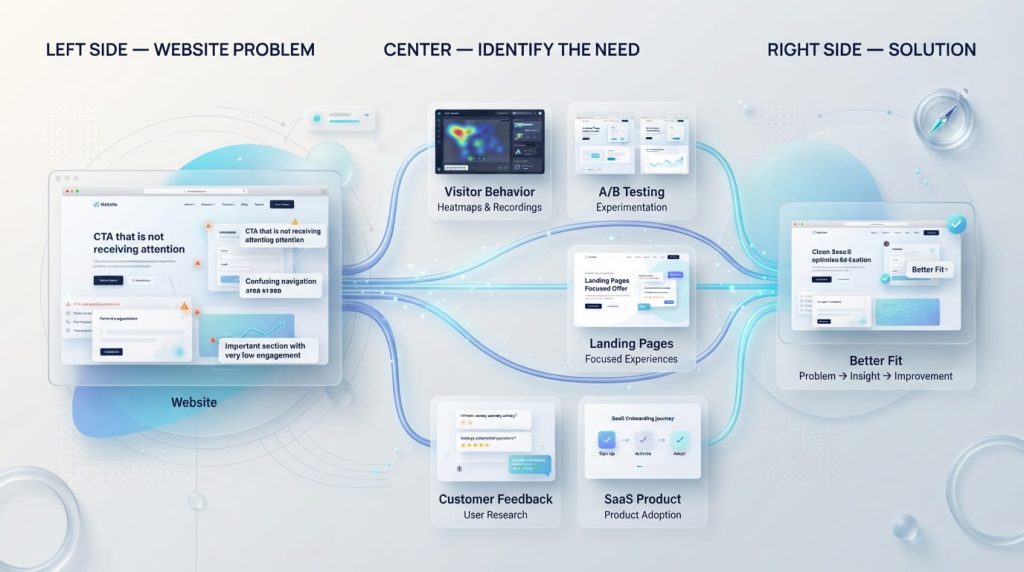
Choosing between different tools becomes much easier when you start with the problem instead of the software. Ask yourself what you actually need to learn first. Are visitors leaving a certain page or they are just struggling to complete a form.
If You Need Visitor Behavior Insights
Tools such as Hotjar, Microsoft Clarity, Crazy Egg, Mouseflow, and FullStory can help you understand how people interact with your pages. Heatmaps and recordings are especially useful when you know a page has a problem but cannot see what is causing it.
If You Need A/B Testing
Optimizely, VWO, and AB Tasty are better choices when you want to compare different versions of a page or experience. These tools can help you make necessary decisions based on actual results rather than just personal preferences.
If You Need Landing Page Optimization
Unbounce and Instapage are strong choices for businesses that depend on landing pages. They can help you create focused pages for specific campaigns, offers, and audiences.
If You Need Customer Feedback
UserTesting and SurveyMonkey can help you hear directly from customers. This is valuable when numbers show that something is wrong but do not explain the reason.
If You Run a SaaS Business
Userpilot can be especially useful for SaaS companies that want to improve onboarding, product adoption, and user activation. The right tool should match the customer journey you are trying to improve.
How to Get the Most from CRO Tools
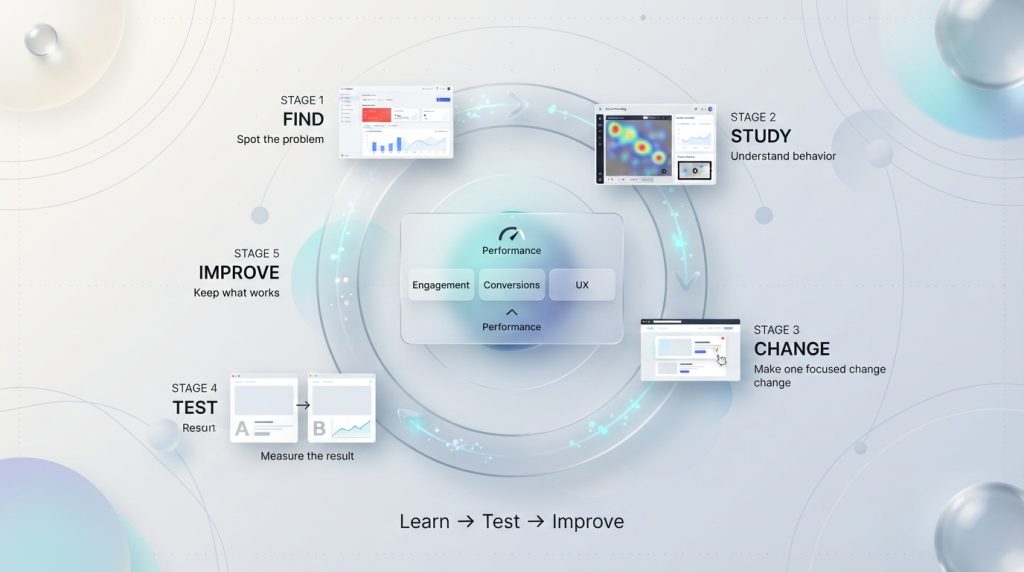
Having a CRO platform does not automatically increase conversions. The real value comes from how you use the information it provides. Start with one clear goal, such as increasing purchases, form submissions, or free trial sign-ups.
Next, look for the evidence of a problem. You might find that visitors leave a particular page, stop at a certain form field, or rarely reach your main call-to-action. Once you understand the problem, make a focused change and measure what happens.
Avoid changing five things at once. If you rewrite the headline, change the design, move the button, and add new images together, you may not know which change made the difference. Good CRO is a process of learning, testing, and improving.
A simple approach is:
- Find a problem.
- Study visitor behavior.
- Make one useful change.
- Test the result.
- Keep what works and improve what does not.
Conclusion
The best conversion rate optimization tools are not necessarily the ones offering the longest feature lists. They are the ones that help you answer an important question about your website.
If you need to understand and study the visitor behavior, start with analytics, heatmaps, or session recordings. If you need to compare different ideas, look at testing platforms. If customer opinions are missing from your data, use surveys or user testing.
Most importantly, do not try to optimize everything at once. Start with one page, one problem, and one clear goal. Use the right data, make thoughtful changes, and keep testing. Over time all of these small improvements can turn more of your existing visitors into customers.
Frequently Asked Questions
Conversion rate optimization tools help you understand how visitors use your website and find ways to get more of them to take action. They can track visitor behavior, show where users leave, collect feedback, create A/B tests, and measure results. Examples include Google Analytics 4, Hotjar, Microsoft Clarity, Optimizely, and VWO.
These tools help you make website decisions based on real visitor data instead of guesswork. They can reveal problems such as confusing navigation, weak calls to action, difficult forms, or pages where visitors frequently leave. Fixing these issues can help you turn more existing visitors into customers, leads, or subscribers.
The best tool depends on your specific CRO needs. Google Analytics 4 is useful for website analytics, while Hotjar and Microsoft Clarity are helpful for understanding visitor behavior. Optimizely and VWO are strong choices for A/B testing, while Unbounce and Instapage work well for landing page optimization. UserTesting is useful when you need direct feedback from real users.
Optimizely, VWO, and AB Tasty are among the stronger options for A/B testing. They allow businesses to compare different versions of a webpage or element and measure which version performs better. The right choice depends on your website traffic, testing needs, budget, and technical resources.
Hotjar, Microsoft Clarity, Crazy Egg, FullStory, Mouseflow, and Google Analytics 4 can help analyze visitor behavior. Heatmaps can show where people click and scroll, while session recordings can show how visitors move through a page. Analytics data can then provide a broader view of traffic, engagement, and conversions.
Yes. Several useful CRO tools offer free options. Google Analytics 4 and Microsoft Clarity are two popular choices for businesses that want to understand website performance and visitor behavior without paying for a tool. Free plans may have limitations, so growing businesses may eventually need paid features for more advanced testing or analysis.
CRO tools help identify what is stopping visitors from completing important actions. For example, a heatmap might show that visitors never reach a call-to-action, while a session recording could reveal that a form is confusing. You can use these insights to make changes, test them, and measure whether they improve conversion rates.
Start by identifying the problem you want to solve. If you need visitor behavior data, consider a heatmap or session recording tool. For A/B testing, choose an experimentation platform. If you need customer feedback, user testing or survey software may be more useful. Also compare pricing, ease of use, integrations, reporting features, and whether the tool can grow with your business.
Ready to Improve Your Website Conversions?
A well-planned conversion strategy can help you understand visitor behavior, improve the user experience, and turn more of your existing website traffic into customers. At American Design Agency LLC, we help businesses create stronger digital experiences through website design, digital marketing, and online growth solutions.
Explore how American Design Agency LLC can help you improve your website experience, strengthen your digital presence, and create more opportunities for conversions.
Book your free project consultation call
