


Build Your Brand with the Best WordPress Templates for Business Websites?
If you think a cheap theme from a basement developer will save your company, you probably still believe in the tooth fairy. Your website represents your digital storefront, so stop dressing it in rags.
How to Choose the Right WordPress Template for a Business Website?

Technical buyers must look past the visual aesthetics of the best WordPress templates. You need a codebase that supports your specific business logic. Stop chasing flashy animations that distract users from your value proposition.
Check the underlying framework before you buy. Prioritize templates that follow the latest coding standards. Look for themes with frequent updates.
You want a template that uses native WordPress functions rather than custom scripts that break with every core update. Evaluate the plugin dependencies.
If a theme requires twenty different plugins to look like the demo, walk away immediately. That bloat will kill your page speed. Focus on modularity to scale features as your company grows. Your choice determines the technical debt you will carry for years.
Select a developer who provides clear documentation.
Verify the support response times to ensure your team gets help when things go wrong. High-quality code ensures your site remains stable during traffic spikes.
WordPress Template Features That Improve Performance and SEO

Performance is a ranking factor that you cannot ignore. The best WordPress templates prioritize lightweight code over visual complexity. Look for features like vanilla JavaScript and minimal CSS files.
High-performance templates achieve excellent scores on Core Web Vitals without excessive tuning. Search engines prefer pages that load within two seconds. Choose a layout that includes proper Schema markup out of the box.
This helps search engines understand your content structure. Verify that the template supports responsive image loading to save bandwidth on mobile devices. Fast themes use critical CSS techniques to render the main content first.
Avoid themes that rely heavily on jQuery for basic UI elements. Modern browsers handle native scripts much better. Ensure the template allows you to disable unused features to keep the DOM size small.
A clean DOM tree improves crawling speed for search engines. Speed and SEO work together to keep your brand visible and competitive in the digital market.
The Practical Guide to Picking Business Friendly WordPress Layouts

Business layouts must drive conversions rather than just looking pretty. Select a template that offers a clear visual hierarchy. Your most important message should sit above the fold with a distinct call to action. Successful business websites use whitespace to guide the eye toward key information.
Avoid cluttered sidebars that dilute your message. Look for templates that provide pre-built sections for testimonials and service lists. These elements build trust with your audience. Professional layouts work well across different screen sizes.
Test the template on various devices to ensure the mobile experience remains top-tier. Business visitors often look for contact information and lead forms.
Make sure these elements remain accessible during every part of the user journey. Consistent typography across pages keeps your brand identity strong.
Pick a layout that allows for easy navigation through breadcrumbs and logical menu structures. Professionalism requires a predictable user experience that respects the time of your visitors.
Template Selection for Faster Build Times and Easier Maintenance
Development speed matters when you need to launch a product quickly. The best WordPress templates offer starter sites that you can import with one click. This saves hours of manual configuration. Choose a template that works well with the block editor.
Native blocks provide a more stable editing experience than third-party page builders. Maintenance becomes a nightmare when themes use proprietary code for every small feature. Stick to templates that follow standard WordPress hooks and filters.
This allows your developers to customize functionality without modifying core files. Use child themes to preserve your changes during updates. A maintainable site uses a small number of high-quality plugins.
If your template requires a massive stack of extensions, you face higher security risks and update conflicts.
Check if the theme developer provides a clear roadmap for future updates. Reliable products evolve alongside the WordPress ecosystem to ensure long-term stability for your business site.
What Technical Buyers Look for in Professional WordPress Themes?
Technical buyers ignore the marketing fluff and dive straight into the code quality. You must check for clean PHP and valid HTML5 syntax. Look for templates that support modern build tools like Sass or Gulp.
A professional theme provides a developer-friendly API for deep customizations. Verify the license terms to ensure you own the site you build. Technical teams prefer templates with comprehensive developer documentation rather than basic user guides.
Check the compatibility with major hosting environments and server configurations. Professional themes avoid hardcoding styles and instead use theme JSON for global settings.
Look for accessibility compliance to avoid legal headaches and reach a wider audience. A theme that meets WCAG standards shows a commitment to quality.
Inspect the database queries generated by the theme to ensure they remain fast under high traffic.
Technical buyers prioritize stability and security over trendy design elements that might become obsolete next year. Strong code foundations prevent long-term technical debt.
Landing Page Design Patterns Using Modern WordPress Templates
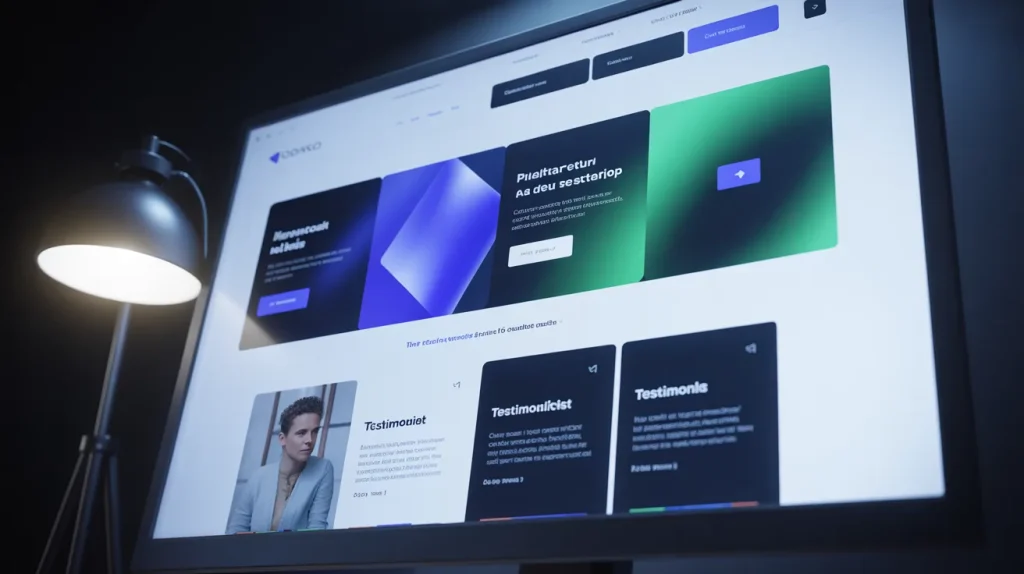
Landing pages require a specific design pattern to convert traffic into leads. High-quality templates provide flexible grid systems for creating custom headers and footers. Use a hero section that clearly states your value proposition.
Include social proof elements like logos of previous clients or user reviews. The best WordPress templates allow you to hide navigation on landing pages to keep users focused on the goal. Use high contrast buttons for your primary actions.
Ensure the forms connect with your marketing software without issues. Landing pages must load extremely fast to prevent high bounce rates from paid traffic.
Use lazy loading for images that sit below the fold. Avoid using sliders as they distract users and slow down page performance. Instead, use static images with compelling copy.
Consistent branding across all landing pages reinforces your market position.
Build templates that allow for easy testing of different headlines and button placements. Results improve when you focus on a single objective per page.
How to Evaluate Template Quality Without Being a Designer?
You do not need an art degree to spot a bad WordPress template. Start by running the theme demo through the Google PageSpeed Insights tool. If the demo fails the performance tests, the actual product will likely be worse.
Check the mobile responsiveness by resizing your browser window. Elements should stack logically without overlapping or breaking.
Look for consistent spacing and alignment across different page templates.
A high-quality theme maintains a uniform look regardless of the content type. Examine the typography for legibility on small screens.
Check the support forums for the theme to see how quickly the developers solve user problems.
If you see many unresolved tickets, find another option. Test the accessibility of the theme using free online checkers. High-quality code usually results in better accessibility scores.
A professional template includes clear labels for form fields and proper heading structures. These details indicate the developer cares for the product.
Security and Updates: How Business WordPress Templates Should Be Managed
Security remains a top priority for any business website. Choose templates from reputable sources to avoid hidden backdoors or malicious code. Regularly update your theme to patch security vulnerabilities. Professional templates follow the WordPress security best practices and escape all user input.
Manage your updates on a staging server before pushing them to the live site. This prevents unexpected errors from breaking your business operations. Disable the theme editor in the WordPress dashboard to prevent unauthorized changes to your files.
Use strong passwords and two-factor authentication for all administrator accounts. Limit the number of users who can modify the theme settings. Monitor your site for file changes and unauthorized login attempts.
A secure template management strategy includes regular backups of your files and your database.
Store these backups in a separate location for quick recovery during a breach. Security is a continuous commitment to protecting your brand data and customer privacy.
Customization Workflows for WordPress Templates Without Breaking Your Site
Customizing your site requires a disciplined workflow to avoid downtime. Start by creating a local development environment. This allows your team to test new features without affecting your customers. Use version control systems like Git to track every change in your code.
This makes it easy to roll back if something goes wrong during the customization process. Never edit the parent theme files directly. Instead, use a child theme for all CSS and PHP modifications.
This ensures your changes remain intact when the developer releases an update. Use the WordPress Customizer for simple visual changes like colors and fonts.
For more complex functionality, use custom plugins or the functions dot PHP file in your child theme. Test every change across multiple browsers to ensure compatibility.
Document your customization steps so others can understand the logic. A structured workflow reduces the risk of errors and improves the quality of your business website.
Measuring Success After Launch KPIs for Business Websites Using WordPress

Launching your site is only the start of your digital journey. Track key performance indicators to measure the return on your investment. Use tools like Google Analytics to monitor your traffic sources and user behavior.
Pay close attention to the conversion rate of your lead forms.
A high traffic site with zero conversions indicates a failure in your layout or message. Monitor the bounce rate to see if users leave your site too quickly. High bounce rates often point to slow loading speeds or irrelevant content.
Track your search engine rankings for your target keywords. This helps you understand the effectiveness of your SEO efforts. Measure the average session duration to see how engaged your visitors are with your brand story.
Use heatmaps to visualize where users click and how they navigate your pages.
These insights allow you to make data-driven improvements to your site. Monitoring ensures your business website remains a powerful tool for growth.
Frequently Asked Questions
You need tools that prioritize performance over flashy distractions. Astra, GeneratePress, and Kadence are the top choices right now.
These options offer a lightweight foundation that developers love. They stay out of the way so your content can shine.
Choosing the best WordPress templates means finding a balance between flexibility and file size.
Most professional agencies rely on these specific frameworks because they play well with modern block editors. You get clean code and fast load times without the headache of proprietary page builders.
These templates provide the structural integrity required for a growing enterprise.
Your website serves as the digital face of your company. A template provides the visual structure and emotional tone for every visitor interaction. Using a consistent layout builds trust and helps people recognize your brand instantly.
Templates allow you to scale your design across hundreds of pages without losing visual coherence. You establish a professional standard that tells customers you take your business seriously.
A good template ensures your typography and colors remain uniform. This consistency prevents the disjointed look that plagues amateur websites. You create a reliable user experience that keeps people coming back.
Start by running the theme demo through a speed test. If the demo takes too long to load, your actual site will perform even worse. Look for themes that follow native WordPress standards rather than adding custom layers of complexity.
Verify the developer’s update frequency. You want a team that actively maintains its code to patch security holes. Check the documentation for technical depth.
Avoid themes that force you to use specific plugins for basic tasks. Pick a template that fits your specific content needs, whether that involves a portfolio or a complex service catalog.
Yes, provided you choose high-quality options. Many of the world’s most successful companies use WordPress and well-built templates. Professional templates offer a level of security and performance that custom builds often struggle to match for the same price.
You get access to a massive ecosystem of support and developers who already know the framework. Modern templates use clean PHP and valid HTML to ensure search engines can crawl your site.
This makes them a smart choice for any serious business looking to grow its market share. You avoid the high cost of starting from scratch while maintaining a professional edge.
Modern block themes give you total control over every pixel. You can change global colors, fonts, and spacing in the site editor. Most high-end templates allow you to upload your own logos and brand assets with ease.
Developers use child themes to add custom functionality without touching the core files. This means your brand remains unique while the underlying code stays up to date.
You can build custom headers and footers that reflect your specific aesthetic goals. The best WordPress templates provide the hooks and filters required for big technical changes. Your brand identity stays protected and prominent.
The code in your template directly affects how quickly your pages load. Bloated themes with too many features slow down your server and frustrate your users.
Every extra script or style sheet adds weight to your page size. Choosing a lightweight template reduces the number of requests your browser makes.
This improves your Core Web Vitals scores and helps you rank higher in search results. Slow sites lose money because visitors leave before the page even opens.
Focus on templates that use vanilla JavaScript and minimal CSS to maintain high performance. Speed remains a critical part of your brand reputation.
Free templates work for hobbies, but they often fail in a professional environment. Most free options lack the regular security updates required to protect your data. You rarely get access to technical support when things go wrong.
Paid templates offer better code quality and more frequent patches. They also include advanced features that help with lead generation and SEO. Spending a small amount on a premium license saves you thousands in development hours later.
Serious businesses invest in tools that offer reliability and long-term growth. Do not risk your brand reputation on a free theme with no roadmap.
A well-structured template helps search engines index your pages correctly. This increases your visibility in search results and brings in more organic traffic. Professional designs lower your bounce rate by keeping users engaged with your content.
You can quickly deploy new landing pages to respond to market changes. Templates provide a framework for clear navigation that helps users find what they need.
This ease of use turns random visitors into loyal customers. A strong online presence requires a foundation that supports both user experience and technical search requirements. Your template handles the heavy lifting so you can focus on strategy.
Many industries benefit from WordPress business templates because they help create professional websites quickly. Professional service firms like law offices and consultancies use templates to build authority online.
E-commerce businesses use them to manage product displays and smooth checkouts. Creative agencies rely on flexible layouts to showcase their work, while tech startups use templates to launch and update websites quickly.
In real estate, agents use specialized templates to organize and display property listings effectively.
Look for a business WordPress template with responsive design, schema markup, accessibility, and block editor support.
Responsive design and schema markup are especially important because they help your site work well on mobile devices and make it easier for search engines to understand your content.
Accessibility also matters because every user should be able to navigate your site, while block editor support gives you a faster and more stable editing experience.
Conclusion
Stop settling for mediocre themes that drag your brand down. Our American Design agency knows that a high-performance site demands superior code and a clear strategy.
You now have the knowledge to pick the best WordPress templates for your business goals.
Take action now. Build a fast and secure digital home that converts visitors into loyal clients. Your future growth depends on the technical choices you make today.
Create a Website That Actually Grows Your Business
Your website is the digital foundation of your business. A strong, fast, and well-structured site built with the right strategy can directly impact your leads, visibility, and long-term growth.
With Professional Services Website Design, you get a solution focused on performance, user experience, and conversion-driven structure, not just design.
Book your free project consultation call!
We’ll quickly review your website or business setup and show you what’s stopping you from getting better results, plus the exact improvements you need to grow online.
